Are you tired of fumbling with tangled cables and worn-out charging ports? Imagine a world where powering up your Android phone is as simple as placing it on a pad. Welcome to the future of effortless energy, where wireless phone chargers offer unparalleled convenience and a clutter-free experience. This comprehensive guide will demystify the technology, help you navigate the myriad options, and empower you to choose the perfect wireless charger for your Android device, ensuring you stay charged and connected with ease.
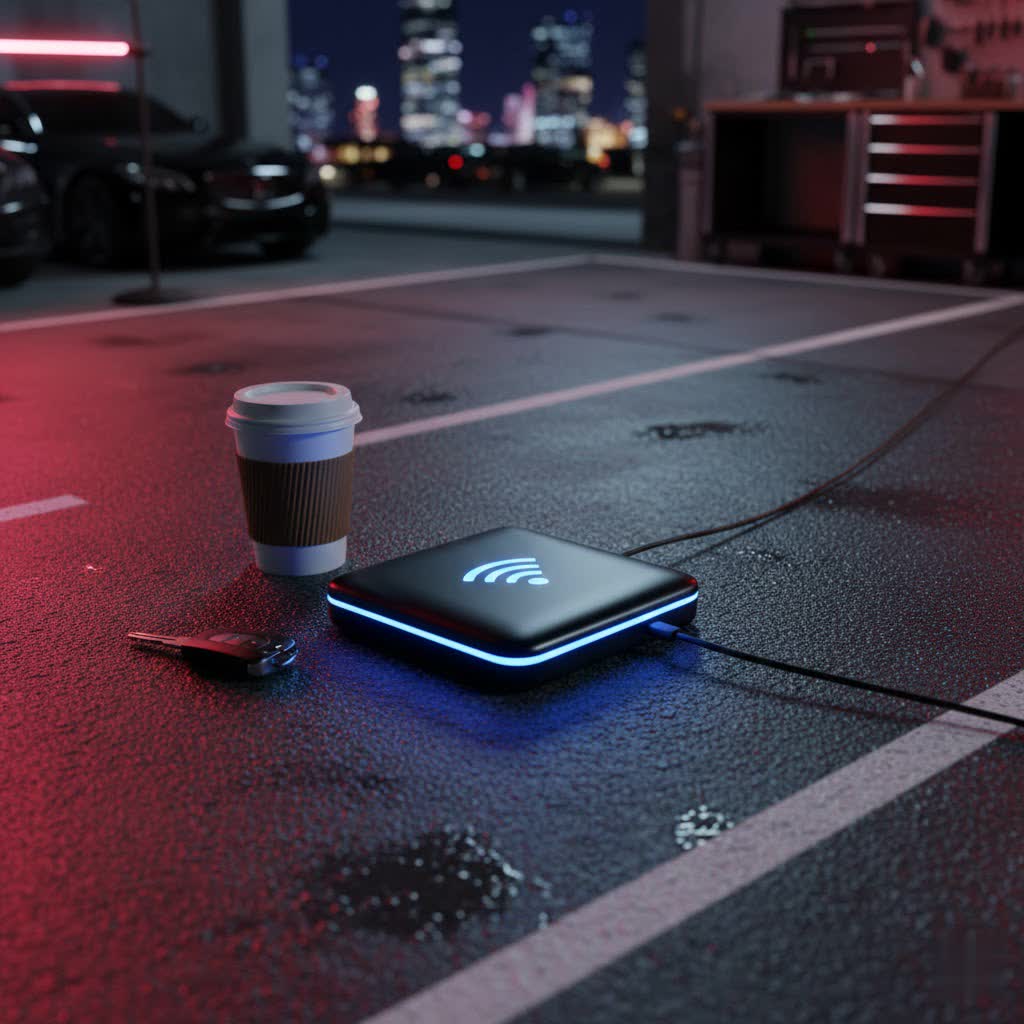
What is a Wireless Charger and How Does it Work?
At its core, wireless charging operates on the principle of electromagnetic induction. This ingenious technology allows energy to be transferred between two objects without direct physical contact, meaning no more plugging in cables. Inside every wireless charger, there’s a transmitter coil connected to a power source. When an alternating current passes through this coil, it generates a fluctuating magnetic field.
When your Android phone, equipped with its own receiver coil, is placed within this magnetic field, the field induces an electric current in the phone’s coil. This induced current is then converted into direct current, which charges your phone’s battery. This seamless transfer of power makes charging incredibly convenient.
The most prevalent standard for wireless charging in Android devices is Qi (pronounced “chee”). This universal standard ensures broad compatibility, meaning most Qi-certified Android phones will work with any Qi-certified wireless charger. While the original Qi standard has been around for some time, newer iterations like Qi2 are emerging, promising enhanced efficiency, faster charging speeds, and magnetic alignment similar to Apple’s MagSafe for supported devices.
Wireless charging offers undeniable advantages, such as unmatched convenience and a reduction in cable clutter, which can prolong the life of your phone’s charging port. However, it also has its considerations: charging can sometimes be slower than wired alternatives, precise phone placement on the pad is crucial for optimal power transfer, and phone cases that are too thick or contain metal can interfere with the charging process. Furthermore, phones designed for wireless charging typically feature glass or plastic backs, as metal obstructs the magnetic field necessary for induction.
Popular Types of Wireless Chargers for Android on the Market
The market for wireless chargers is diverse, offering various designs and functionalities to suit different lifestyles and needs. Understanding these types can help you pinpoint the best fit for your Android device.
Wireless Charging Pads: These are the most common and simplest form of wireless chargers. They are typically flat discs or mats where you simply lay your phone down to charge. Pads are discreet, take up minimal space, and are ideal for desks, nightstands, or any flat surface where you want a clean charging solution.
Wireless Charging Stands: Designed to hold your phone upright, stands are perfect for viewing notifications, watching videos, or making video calls while your phone charges. Many stands allow for both portrait and landscape orientation, offering versatility for media consumption and productivity. They are an excellent choice for office desks or bedside tables.
Multi-Device Wireless Chargers: For users with multiple Qi-compatible devices, such as an Android phone, wireless earbuds, and a smartwatch, multi-device chargers are a game-changer. These docks often feature multiple charging spots, allowing you to power up all your essential gadgets simultaneously from a single power outlet, reducing cable clutter even further.
Wireless Power Banks: Combining the portability of a traditional power bank with the convenience of wireless charging, these devices are perfect for charging on the go. You can simply place your phone on the power bank to get a battery boost without needing a cable, making them ideal for travel, commutes, or long days away from an outlet.
Wireless Car Chargers: Integrated into car mounts, these chargers allow you to conveniently charge your Android phone while using it for navigation or media playback in your vehicle. They often feature strong grips or magnetic attachments to keep your phone secure even on bumpy roads, ensuring your device stays powered throughout your journey.
Under-Desk/Hidden Chargers: For a truly minimalist setup, some innovative chargers can be installed underneath a desk or tabletop. These chargers power your phone through the surface, making them completely invisible and maintaining a pristine aesthetic. A small sticker on the desk indicates the sweet spot for charging your device.
Top Wireless Chargers for Android: A Guide to the Best Options
Choosing the “best” wireless charger for your Android phone often depends on your specific needs, device compatibility, and budget. However, several brands consistently stand out for their reliability, performance, and innovative features.
For All-Around Value and Reliability: Brands like Anker and Belkin are consistently highly rated for their robust build quality, efficient charging, and commitment to safety. Anker’s PowerWave series, for instance, offers a range of pads and stands with reliable Qi charging capabilities at competitive price points. Belkin’s BoostCharge lineup is known for its durable design and often includes advanced safety features to protect your device from overcharging and overheating.
For Samsung Galaxy Users: Samsung’s own wireless chargers are often optimized for Galaxy devices, offering faster charging speeds and seamless integration. The Samsung Wireless Charger Duo, for example, is an excellent choice for those who want to charge their Galaxy smartphone and a Galaxy Watch or earbuds simultaneously.
For Google Pixel Users: The Google Pixel Stand is tailored specifically for Pixel phones, often unlocking unique software features like smart home controls or photo frames while charging. It provides a fast and integrated experience for Pixel enthusiasts.
For High-Speed Charging (Brand-Specific): Some Android manufacturers like Xiaomi and OnePlus offer proprietary wireless chargers that deliver exceptionally high wattage (e.g., 50W, 80W) for their compatible flagship phones. While these offer rapid charging, they are typically limited to specific device models from that brand.
For Premium Design and Aesthetics: Brands like Courant and Native Union focus on luxurious materials and sleek designs, offering wireless chargers that not only perform well but also serve as stylish additions to your home or office decor. Their products often feature leather finishes and minimalist aesthetics.
When considering a charger, remember that while many are universally Qi-compatible, proprietary fast-charging standards might only be fully utilized with chargers from the same brand as your phone.
How to Choose the Best Wireless Charger for Your Android Phone
Selecting the right wireless charger can seem daunting with so many options available. By focusing on a few key factors, you can make an informed decision that perfectly matches your Android device and lifestyle.
Check Your Android Phone’s Compatibility
|
Our Picks for the Best Wireless Charger in 2026
As an Amazon Associate I earn from qualifying purchases.
|
||
| Num | Product | Action |
|---|---|---|
| 1 | Samsung Galaxy S25 Ultra Wireless Charging Pad for Galaxy S25 S24 S23 S22 S21 S20 Ultra FE Z Fold Flip 7 6,15W Magnetic Wireless Magsafe Charger Station for iPhone 17 16 15 14 Pro Max Plus |

|
| 2 | MagSafe Charger Stand 15W Magnetic Wireless Charger for iPhone 17/Air/16/15/14/13/12 Series (Onyx Black) |
|
| 3 | TOZO 2025 W1 New Anti-Slip Wireless Charger 15W Max Fast Wireless Charging Pad Compatible with iPhone 17/16/16 Plus/16 Pro Max /15/14/13/SE Series, Samsung Galaxy S25/S24/S23 Series, Black |
|
| 4 | INIU Wireless Charger, 15W Fast Qi Certified Wireless Charging Station with Sleep-Friendly Adaptive Light Compatible with iPhone 17 16 15 14 13 12 Pro Max Samsung Galaxy S25 S24 S23 Note 20 Google etc |
|
| 5 | TRKOY for Magsafe Portable Charger, 5000mAh Wireless Magnetic Power Bank with USB C Charging,Travel Essential for Magsafe Battery Pack Compatible with iPhone 17/16/15/14/13/12 Series, White |
|
| 6 | Yootech Wireless Charger,10W Max Wireless Charging Pad Compatible with iPhone 17/17 Pro/17 Pro Max/Air/16/15/14/13/SE 2022/12/11,Samsung Galaxy S25/S24/S23,for AirPods Pro 3(No AC Adapter) |
|
| 7 | 3 in 1 Charging Station for iPhone, Wireless Charger for iPhone 17 16e 16 15 14 13 12 11 X Pro Max & Apple Watch - Wireless Charging Station for AirPods 4 3 Pro |
|
| 8 | LỖI |
|
| 9 | Apple MagSafe Charger (1 m): Wireless Charger with Fast-Charging Capability |
|
| 10 | Fast Wireless Charger, NANAMI 15W Qi Certified Wireless Charging Stand Compatible iPhone 17/17 Air/16/15/15 Pro/15 Plus/15 Pro Max/14/13/12, for Samsung Galaxy S25/S24/S23/S22/S21 and Qi-Enabled Phone |
|
The absolute first step is to confirm that your Android phone supports wireless charging and that it adheres to the Qi standard. Most modern Android flagships and many mid-range phones from major brands like Samsung (Galaxy S, Note, Z series), Google (Pixel series from Pixel 3 onwards), OnePlus (8 Pro and newer), Xiaomi, Motorola, and LG are Qi-compatible. If your phone is older or a budget model, double-check its specifications. A quick search for “[Your Phone Model] wireless charging” will usually provide this information. Without Qi compatibility, a wireless charger won’t work for your device.
Understand Charging Speed (Wattage)
Wireless chargers come in various power outputs, measured in watts (W). Common speeds include 5W (standard), 7.5W, 10W, and 15W. Some specialized chargers offer even higher wattages for specific phone models.
- 5W: Standard charging speed, suitable for overnight charging or if speed isn’t a priority.
- 7.5W/10W: Faster than 5W, common for many Android phones, providing a noticeable speed increase.
- 15W+: Often referred to as “fast wireless charging,” this requires both your phone and the charger to support the higher wattage and a compatible fast-charging power adapter. Match the charger’s wattage to your phone’s maximum supported wireless charging input for the best results. Using a 15W charger with a phone that only supports 10W will still charge at 10W.
Consider the Charger’s Design and Form Factor
Think about where and how you intend to use your wireless charger:
- Pads are sleek and unobtrusive, great for flat surfaces like a desk or nightstand.
- Stands are ideal if you want to view your phone’s screen while it charges, perfect for video calls or keeping an eye on notifications.
- Multi-device chargers are excellent for streamlining your charging setup if you have an Android phone, earbuds, and a smartwatch.
- Portable wireless power banks offer charging on the go, perfect for travel or busy days.
- Car chargers are designed for in-vehicle use, keeping your phone powered during commutes and road trips.
Choose a Reputable Brand and Prioritize Safety Features
Invest in chargers from well-known and trusted brands like Anker, Belkin, Samsung, or Google. These brands typically adhere to safety standards and incorporate features to protect your devices. Look for certifications like Qi-certified to ensure compatibility and safety. Important safety features include:
- Foreign Object Detection (FOD): Prevents the charger from emitting power when metal objects (like keys or coins) are placed on it, which can prevent overheating.
- Over-temperature Protection: Shuts off or reduces power if the charger or phone gets too hot.
- Over-voltage Protection: Safeguards against power surges.
Compare Price and Features
While it might be tempting to opt for the cheapest option, balancing price with quality and features is crucial. A slightly higher investment in a reputable brand often translates to better performance, greater durability, and enhanced safety. Look for deals and promotions, but always prioritize the features that matter most to your usage, such as charging speed, design, and multi-device capabilities.
Tips for Safe and Efficient Wireless Charging
To get the most out of your Android wireless charger and ensure the safety of your device, follow these practical tips:
- Optimal Placement is Key: For efficient charging, always ensure your Android phone is centered precisely on the wireless charging pad or stand. The coils in your phone and charger need to align properly to establish a strong electromagnetic field. A slight misalignment can lead to slower charging or intermittent connection.
- Remove Obstructions: Thick phone cases, especially those with metal, magnets, or pop sockets, can interfere with wireless charging. Remove such cases or ensure your case is thin and wireless charging compatible for the best experience. Metal objects placed between your phone and the charger can cause overheating and potential damage.
- Maintain a Cool Environment: Wireless charging naturally generates some heat, which is normal. However, excessive heat can reduce charging efficiency and potentially impact your phone’s battery health over time. Place your wireless charger in a well-ventilated area, away from direct sunlight or other heat sources.
- Use the Right Power Adapter: Always use the power adapter and cable recommended by the wireless charger manufacturer. Using an underpowered adapter might result in significantly slower charging speeds or even prevent charging altogether. Fast wireless charging typically requires a Quick Charge (QC) or Power Delivery (PD) compatible wall adapter.
- Keep it Clean: Regularly wipe down your wireless charger with a soft, dry cloth to remove dust and debris. A clean surface ensures better contact and can help prevent any interference with the charging process.
“Wireless charging has transformed how we interact with our devices, making power accessible and unobtrusive. The key is understanding its simplicity and respecting its nuances for a truly seamless experience.” – Dr. Evelyn Reed, Tech Innovation Analyst
For Android phones that support it, reverse wireless charging is a feature where your phone can act as a charging pad to power up other Qi-compatible devices like earbuds or even another phone. If your device has this feature, you can usually activate it in your phone’s battery settings.
Conclusion
Wireless charging offers an elegant and incredibly convenient solution for powering your Android phone, freeing you from the perpetual tangle of cables and the wear and tear on your device’s charging port. By understanding how this inductive technology works, recognizing the universal Qi standard, and exploring the diverse range of pads, stands, and multi-device options, you can easily find a charger that fits your lifestyle.
When selecting your ideal wireless phone charger for Android, remember to prioritize compatibility with your specific model, assess the charging speed that meets your needs, consider the practical design that best suits your environment, and always opt for reputable brands with robust safety features. Embrace the simplicity and efficiency of going cable-free. What wireless charging feature are you most excited to integrate into your daily routine?
Frequently Asked Questions
My Android phone isn’t charging wirelessly. What should I check first?
First, ensure your phone is Qi-compatible. Then, check if it’s correctly centered on the charging pad and remove any thick or metallic cases. Also, verify that the wireless charger is plugged into a power source with a compatible adapter.
Is wireless charging slower than wired charging for Android phones?
Generally, yes. While fast wireless charging at 10W or 15W can be quick, it’s often not as fast as the fastest wired charging methods (e.g., 25W, 45W, or higher) available for some Android phones. However, wireless charging offers superior convenience for topping up throughout the day.
Can I use a wireless charger with a phone case?
Most thin, non-metallic phone cases will work fine with wireless chargers. However, thick cases, or those containing metal plates, magnets, or battery packs, can interfere with the charging process and should be removed for optimal performance.
Does wireless charging damage my Android phone’s battery?
When used correctly, wireless charging from reputable, Qi-certified chargers does not inherently damage your Android phone’s battery. Some heat generation is normal, but quality chargers include temperature regulation to prevent overheating, which could degrade battery health over time.
Are all Android phones compatible with Qi wireless chargers?
No, not all Android phones are compatible. Only phones with a built-in receiver coil for electromagnetic induction will support wireless charging. Most modern flagship and many mid-range Android phones from popular brands (Samsung, Pixel, OnePlus, Xiaomi) are Qi-compatible, but it’s essential to check your specific device’s specifications.
