In today’s fast-paced world, waiting for your iPhone to charge can feel like an eternity. Wireless charging brought unparalleled convenience, but early limitations in speed often made us question its true efficiency. Thankfully, advancements in wireless technology, particularly with the introduction of MagSafe and the Qi2 standard, have revolutionized how quickly you can power up your iPhone without a cable. If you’re looking to cut down on charging times and maximize your device’s battery life with minimal effort, understanding the fastest wireless charging options is crucial. This comprehensive guide will navigate the exciting world of high-speed iPhone wireless chargers, helping you choose the perfect solution to keep your device charged and ready.
What is Wireless Charging and How Does it Work?
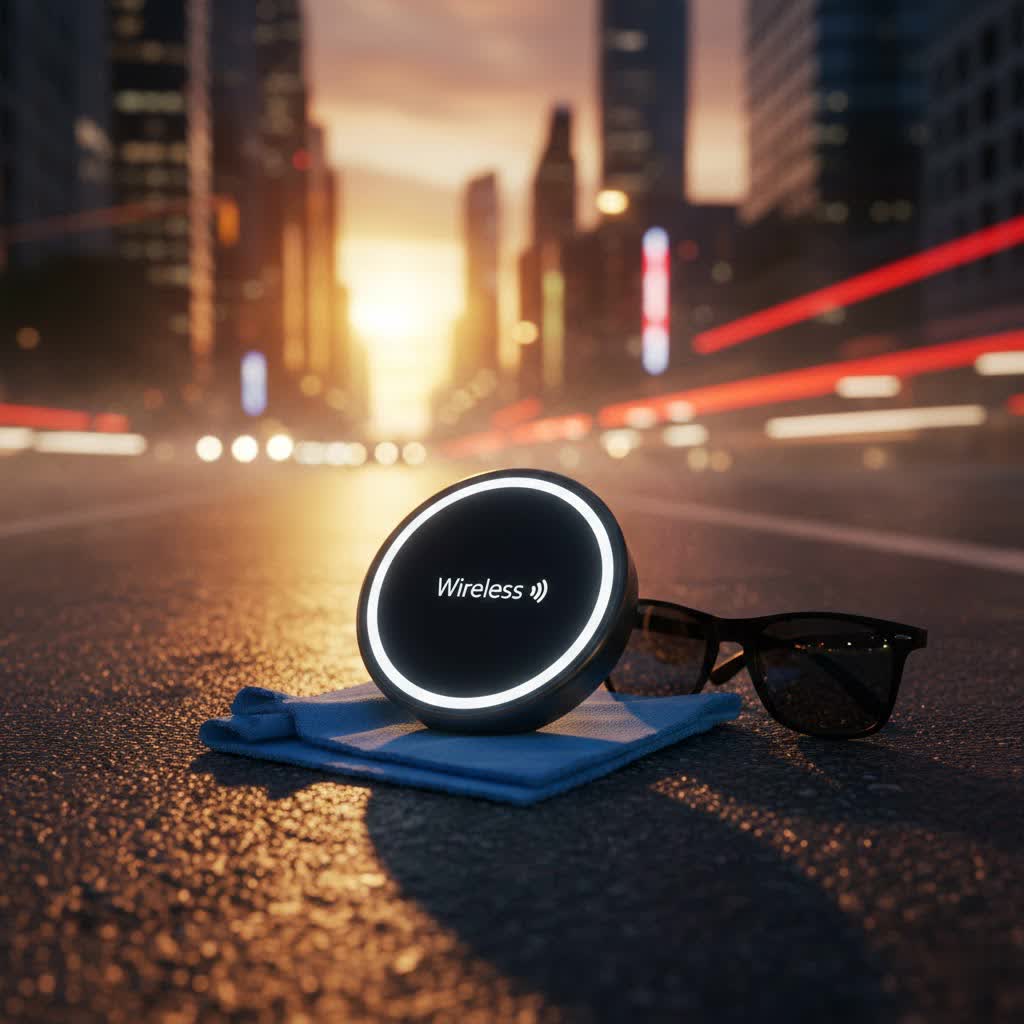
Wireless charging, also known as inductive charging, uses electromagnetic fields to transfer energy between two objects. When your iPhone is placed on a compatible charging pad, a coil inside the charger generates an electromagnetic field that induces an electric current in a receiver coil within your iPhone, thereby charging its battery. It’s a seamless, cable-free experience that eliminates the wear and tear on your phone’s charging port.
The evolution of wireless charging standards directly impacts speed. The original Qi (Qi1) standard is a universal benchmark, offering up to 7.5 watts (W) for iPhones. While convenient, this speed is often considered slow for modern demands. Apple then introduced MagSafe with the iPhone 12 series, a proprietary technology that incorporates a ring of magnets to ensure perfect alignment between the iPhone and the charger. This magnetic connection not only provides a secure fit but also unlocks faster charging speeds of up to 15W for compatible iPhones. The latest development, Qi2, is an open standard co-developed with contributions from Apple, mirroring MagSafe’s Magnetic Power Profile (MPP). Qi2 chargers also deliver up to 15W, with a new iteration, Qi2.2 (sometimes referred to as Qi2 25W), pushing speeds up to 25W for the newest iPhone models.
The primary advantages of wireless charging lie in its convenience and reduced physical stress on your device. Simply place your phone down, and it starts charging. However, a common drawback has traditionally been slower charging speeds compared to wired connections. With MagSafe and Qi2, this gap has significantly narrowed, though it’s important to match your charger’s capabilities with your iPhone’s maximum supported wattage for the best results.
Popular Wireless Charger Types for iPhone
The market is brimming with diverse wireless chargers, each offering unique designs and functionalities. Selecting the right type depends on your lifestyle and specific charging needs.
1. Charging Pads: These are flat surfaces where you simply place your iPhone. They are often minimalist and blend easily into any desk or nightstand setup. Many modern pads are Qi2-certified, providing 15W or even 25W for the latest iPhones.
2. Charging Stands: Ideal for desks or bedside tables, stands prop your iPhone upright, allowing you to view notifications, watch videos, or use StandBy mode while charging. MagSafe and Qi2 stands ensure perfect magnetic alignment, allowing for both portrait and landscape orientations.
3. Multi-Device Chargers (2-in-1, 3-in-1, and more): For users with multiple Apple devices, these stations are invaluable. A 3-in-1 charger, for instance, typically charges an iPhone, Apple Watch, and AirPods simultaneously, reducing clutter and optimizing space. Brands like Anker and UGREEN offer popular 3-in-1 solutions that leverage Qi2/MagSafe for fast iPhone charging alongside dedicated spots for other wearables and accessories.
4. Portable Wireless Power Banks: Perfect for on-the-go charging, these devices combine the convenience of wireless charging with the portability of a power bank. MagSafe-compatible power banks magnetically attach to your iPhone, providing a reliable power boost wherever you are. Anker’s MagGo Power Bank (10K, Slim) is a notable example, offering up to 15W wireless charging.
5. Car Chargers: Designed for in-vehicle use, these chargers often double as phone mounts, securely holding your iPhone and providing power during commutes. ESR offers Qi2 Magnetic Wireless Car Chargers that deliver efficient charging even on bumpy roads.
Leading brands in the fastest wireless charger segment for iPhone include Anker, Belkin, ESR, UGREEN, and Satechi. These manufacturers consistently deliver certified MagSafe and Qi2 products that meet Apple’s stringent standards, ensuring both speed and safety. Some cutting-edge products, like the Sharge ICEMAG 3, even integrate active cooling systems to maintain optimal charging performance at higher wattages.
Comparing the Fastest Wireless Chargers for iPhone
To truly understand which wireless charger stands out, a detailed comparison focusing on key performance metrics is essential. The latest generation of Qi2 and MagSafe chargers are pushing the boundaries, especially for newer iPhone models.
Here’s a look at some top performers and their characteristics:
| Charger Model | Max iPhone Wireless Wattage | iPhone Compatibility | Key Features | Typical Price Range (USD) |
|---|---|---|---|---|
| Apple MagSafe Charger (newest version) | 25W | iPhone 16/17 series; 15W for 12-15 series | Official Apple product, magnetic alignment, requires 30W+ adapter for 25W | $40 – $50 |
| Anker MagGo Wireless Charging Station 3-in-1 Stand | 15W (tested) | iPhone 12-17 series | Charges iPhone, Apple Watch, AirPods; sturdy, 40W adapter included | $80 – $120 |
| ESR Qi2 Mini Wireless Charger | 15W | Qi2/MagSafe compatible iPhones | Lightweight, compact, durable cable, affordable | $20 – $35 |
| UGREEN MagFlow Qi2 3-in1 Charger Station 25W | 25W | iPhone 16/17 series; 15W for 12-15 series | Foldable, portable, charges iPhone, AirPods, Apple Watch (via USB-C) | $60 – $80 |
| Belkin BoostCharge Pro 2-in-1 Qi2 Wireless Charging Dock | 15W (new Qi2 version) | iPhone 12-17 series | Charges iPhone, Apple Watch; adjustable phone angle, sturdy | $100 – $130 |
| Sharge ICEMAG 3 | 25W | Qi2 compatible iPhones (e.g., iPhone 17 Pro) | Portable power bank, active cooling, transparent design, 35W USB-C PD | $70 – $100 |
Evaluations:
- Apple MagSafe Charger: While simplistic, the newest iteration offers the fastest charging for the latest iPhones when paired with a powerful adapter. Its seamless integration with iOS is a key advantage.
- Anker MagGo Wireless Charging Station 3-in-1 Stand: This unit is praised for its robust build and fast iPhone charging, fully recharging an iPhone 13 Pro in just 98 minutes in some tests. It includes a 40W adapter, which is a significant bonus.
- ESR Qi2 Mini Wireless Charger: A budget-friendly yet highly effective option, particularly for individual phone charging. Its strong magnet and durable cable make it a practical everyday choice.
- UGREEN MagFlow Qi2 3-in-1 Charger Station 25W: This charger is forward-looking, offering 25W for newer iPhones and great portability. The ability to charge an Apple Watch via a connected USB-C cable adds versatility.
- Belkin BoostCharge Pro 2-in-1 Qi2: Belkin’s updated Qi2 version of this dock shows improved iPhone charging speeds and maintains a premium, sturdy design, though it can be prone to dust.
- Sharge ICEMAG 3: This unique power bank stands out with its claimed 25W Qi2 capability and active cooling, making it a powerful portable solution for the newest iPhones.
When making your selection, consider not just the advertised wattage but also the accessories included (like a power adapter) and how the design fits into your daily routine.
Guide to Choosing the Fastest Wireless Charger for iPhone
Choosing the ideal fast wireless charger requires a bit of homework. Here’s a breakdown of the critical factors to consider, ensuring you get the most out of your investment.
Determine Your iPhone Model’s Max Charging Speed
The first and most crucial step is to understand what your iPhone model actually supports.
- iPhone 8 through iPhone 11: These models support standard Qi wireless charging at a maximum of 7.5W. While you can use MagSafe or Qi2 chargers, the speed will be capped at 7.5W because they lack the necessary magnetic hardware and firmware for higher wattages.
- iPhone 12 through iPhone 15 series: These iPhones support MagSafe and Qi2 charging, allowing for wireless speeds of up to 15W. To achieve this, you need a certified MagSafe or Qi2 charger and a compatible power adapter.
- iPhone 16 and iPhone 17 series: The latest iPhones can achieve even faster wireless charging speeds, up to 25W, when paired with a Qi2.2 (or “Qi2 25W”) compatible charger and a powerful 30W or faster USB-C power adapter. Using a charger or adapter that doesn’t meet these specifications will result in slower charging.
|
Our Picks for the Best Wireless Charger in 2026
As an Amazon Associate I earn from qualifying purchases.
|
||
| Num | Product | Action |
|---|---|---|
| 1 | Fast Wireless Charger, NANAMI 15W Qi Certified Wireless Charging Stand Compatible iPhone 17/17 Air/16/15/15 Pro/15 Plus/15 Pro Max/14/13/12, for Samsung Galaxy S25/S24/S23/S22/S21 and Qi-Enabled Phone |

|
| 2 | MagSafe Charger Stand 15W Magnetic Wireless Charger for iPhone 17/Air/16/15/14/13/12 Series (Onyx Black) |
|
| 3 | Yootech Wireless Charger,10W Max Wireless Charging Pad Compatible with iPhone 17/17 Pro/17 Pro Max/Air/16/15/14/13/SE 2022/12/11,Samsung Galaxy S25/S24/S23,for AirPods Pro 3(No AC Adapter) |
|
| 4 | 3 in 1 Charging Station for iPhone, Wireless Charger for iPhone 17 16e 16 15 14 13 12 11 X Pro Max & Apple Watch - Wireless Charging Station for AirPods 4 3 Pro |
|
| 5 | LỖI |
|
| 6 | Apple MagSafe Charger (1 m): Wireless Charger with Fast-Charging Capability |
|
| 7 | INIU Wireless Charger, 15W Fast Qi Certified Wireless Charging Station with Sleep-Friendly Adaptive Light Compatible with iPhone 17 16 15 14 13 12 Pro Max Samsung Galaxy S25 S24 S23 Note 20 Google etc |
|
| 8 | TRKOY for Magsafe Portable Charger, 5000mAh Wireless Magnetic Power Bank with USB C Charging,Travel Essential for Magsafe Battery Pack Compatible with iPhone 17/16/15/14/13/12 Series, White |
|
| 9 | Samsung Galaxy S25 Ultra Wireless Charging Pad for Galaxy S25 S24 S23 S22 S21 S20 Ultra FE Z Fold Flip 7 6,15W Magnetic Wireless Magsafe Charger Station for iPhone 17 16 15 14 Pro Max Plus |
|
| 10 | TOZO 2025 W1 New Anti-Slip Wireless Charger 15W Max Fast Wireless Charging Pad Compatible with iPhone 17/16/16 Plus/16 Pro Max /15/14/13/SE Series, Samsung Galaxy S25/S24/S23 Series, Black |
|
> “Understanding your iPhone’s maximum wireless charging capability is the foundation of choosing the right charger; an overpowered charger won’t make an older iPhone charge faster, and an underpowered one will limit a newer model.”
Understand Charging Standards: Qi, MagSafe, and Qi2
The charging standard dictates both compatibility and speed.
- Qi (Wireless Power Consortium): This is the baseline standard. While universal, it typically offers slower speeds for iPhones. If a charger doesn’t explicitly state MagSafe or Qi2 certification, assume it’s a standard Qi charger, likely capped at 7.5W for iPhones.
- MagSafe: Apple’s proprietary standard, introduced with the iPhone 12. Its integrated magnets ensure perfect alignment, which is key to achieving consistent 15W charging (or 25W for the newest iPhones). Without precise alignment, even powerful wireless chargers can suffer significant efficiency losses.
- Qi2: This new open standard effectively integrates the magnetic alignment benefits of MagSafe into a universal protocol. Any Qi2-certified charger will magnetically snap into place, delivering 15W to compatible iPhones. The newer Qi2.2 extends this to 25W for the latest iPhone models. Opting for a Qi2 or MagSafe certified charger is essential for the fastest wireless charging experience on modern iPhones.
The Importance of a Compatible Power Adapter
Many people overlook the power adapter when buying a wireless charger, but it’s a critical component for achieving advertised speeds.
- For 15W wireless charging, you generally need a power adapter that provides at least 20W of power.
- For the fastest 25W wireless charging available for iPhone 16/17 series, a 30W or higher USB-C power adapter is required.
- Always check if the wireless charger includes an adapter. If not, invest in a high-quality USB-C Power Delivery (PD) adapter that matches or exceeds the recommended wattage of your chosen wireless charger. Using an underpowered adapter (e.g., an old 5W iPhone adapter) will severely limit charging speed, regardless of how capable your wireless charger is.
Consider Design and Additional Features
Beyond speed, convenience and functionality play a significant role.
- Form Factor: Do you prefer a simple charging pad that lies flat, or a stand that holds your iPhone upright for easy viewing and StandBy mode? For travel, a foldable multi-device charger or a power bank might be more suitable.
- Multi-Device Capability: If you have an Apple Watch and AirPods, a 2-in-1 or 3-in-1 charging station can declutter your space and charge all your devices efficiently. Ensure these multi-chargers still deliver fast speeds to your iPhone, as some may prioritize other devices.
- Built-in Cooling: Higher wattage charging can generate heat. Chargers with active cooling systems, like some 25W Qi2 power banks, can help maintain optimal temperatures and prevent charging slowdowns due to thermal management.
- Case Compatibility: Most wireless chargers work with cases up to 3mm thick. If your case is thicker or has metal elements (like PopSockets with metal components), it might interfere with charging efficiency or prevent charging altogether. Magnetic chargers work best with MagSafe-compatible cases.
Evaluate Brands and Read Reviews
Stick with reputable brands known for quality and safety in wireless charging. Anker, Belkin, ESR, UGREEN, and Satechi are well-established names.
- Brand Reputation: Established brands often have better build quality, reliable performance, and stronger safety features.
- Warranty and Support: Check the warranty period and customer service options.
- User Reviews: Real-world feedback can provide valuable insights into a charger’s actual performance, durability, and any common issues. Look for reviews that mention charging speeds with specific iPhone models.
Tips for Safe and Optimized iPhone Wireless Charging
Even with the fastest charger, certain practices can help you get the most efficient and safest charging experience.
- Ensure Proper Alignment: For MagSafe and Qi2 chargers, the magnetic connection makes this effortless. For standard Qi pads, take a moment to center your iPhone precisely on the charging coil to maximize power transfer. Misalignment can significantly reduce charging speed.
- Use a High-Quality Power Adapter: As discussed, the power adapter is just as important as the charger itself. Always use an adapter that meets or exceeds the recommended wattage. Apple Support explicitly states that for faster wireless charging, you should use a MagSafe or Qi2-certified wireless charger, which implies using an appropriate power brick.
- Keep Your iPhone and Charger Cool: Wireless charging can generate some heat. Excessive heat can slow down the charging process to protect your battery. Place your charger in a well-ventilated area, away from direct sunlight. If your iPhone feels excessively warm, temporarily remove it from the charger to let it cool down.
- Remove Thick Cases or Metal Objects: Cases thicker than 3mm or those containing metal, magnets (other than MagSafe-compatible ones), or credit cards can impede wireless charging. Remove them for optimal speed and to avoid potential damage to cards.
- Update iOS Regularly: Apple often releases software updates that include optimizations for battery management and charging performance. Keeping your iPhone’s iOS version current can ensure you’re benefiting from the latest efficiencies.
- Disconnect Other Accessories: If you have wired accessories (like headphones or a multi-port adapter) connected to your iPhone while wirelessly charging, the system might limit the wireless charging speed to 7.5W to comply with regulatory standards. Disconnecting these accessories can help achieve faster speeds.
Following these simple tips will help you enjoy consistent, fast, and safe wireless charging for your iPhone.
Conclusion
The evolution of wireless charging, from basic Qi to the advanced MagSafe and Qi2 standards, has transformed convenience into a powerful and efficient way to charge your iPhone. For the latest iPhone 16 and iPhone 17 series, you can now experience remarkable 25W wireless charging speeds, provided you have a compatible Qi2.2 or newest MagSafe charger paired with a robust power adapter. Even for iPhone 12 through iPhone 15 models, 15W MagSafe/Qi2 charging offers a significant boost over older Qi technology.
When seeking the fastest wireless charger for your iPhone, prioritize compatibility with your specific model, opt for certified MagSafe or Qi2 chargers, and never underestimate the necessity of a powerful, high-wattage USB-C power adapter. Consider your daily habits – whether a sleek pad, a versatile stand, or a portable power bank best suits your needs. With brands like Anker, Belkin, ESR, UGREEN, and Sharge leading the innovation, you have a wealth of high-quality options to choose from. By making an informed decision, you can elevate your charging experience, ensuring your iPhone is always powered up and ready to go.
What’s your biggest priority when choosing a wireless charger for your iPhone: ultimate speed or seamless multi-device charging?
Frequently Asked Questions
What is the maximum wireless charging speed for iPhone?
The maximum wireless charging speed for an iPhone depends on the model. iPhone 12 through iPhone 15 series support up to 15W with MagSafe or Qi2 certified chargers. The latest iPhone 16 and iPhone 17 series can achieve speeds up to 25W when using a Qi2.2 (or “Qi2 25W”) compatible charger and a 30W or higher USB-C power adapter.
Do all iPhones support MagSafe/Qi2?
No, not all iPhones support MagSafe or Qi2. MagSafe compatibility begins with the iPhone 12 series and continues with subsequent models (iPhone 12, 13, 14, 15, 16, 17 series). iPhones older than the iPhone 12, such as the iPhone 8, X, XR, XS, and 11, only support standard Qi wireless charging, which is capped at 7.5W.
Why is my iPhone wireless charger slow?
Your iPhone wireless charger might be slow for several reasons: it could be a standard Qi charger (7.5W limit), your iPhone model might not support faster MagSafe/Qi2 speeds, you might be using an underpowered wall adapter, the phone might be misaligned, or a thick/metal case could be interfering. Overheating or having other accessories connected can also reduce charging speed.
Can I use any power adapter with my wireless charger?
While you can physically connect almost any USB power adapter, using just “any” adapter will likely prevent you from achieving the fastest wireless charging speeds. For 15W MagSafe/Qi2 charging, a 20W or higher USB-C Power Delivery (PD) adapter is recommended. For 25W Qi2.2 charging on newer iPhones, a 30W or higher USB-C PD adapter is essential. Always match the adapter’s wattage to the charger’s requirements.
