In our fast-paced world, the convenience of technology is paramount, and few features embody this more than wireless charging. If you own an iPhone 11, you’re in luck: it seamlessly integrates with this innovative charging method, offering a cable-free power-up experience. This guide will dive deep into everything you need to know about wirelessly charging your iPhone 11, from how it works to selecting the perfect charger for your lifestyle. Say goodbye to tangled cords and embrace the future of effortless power.
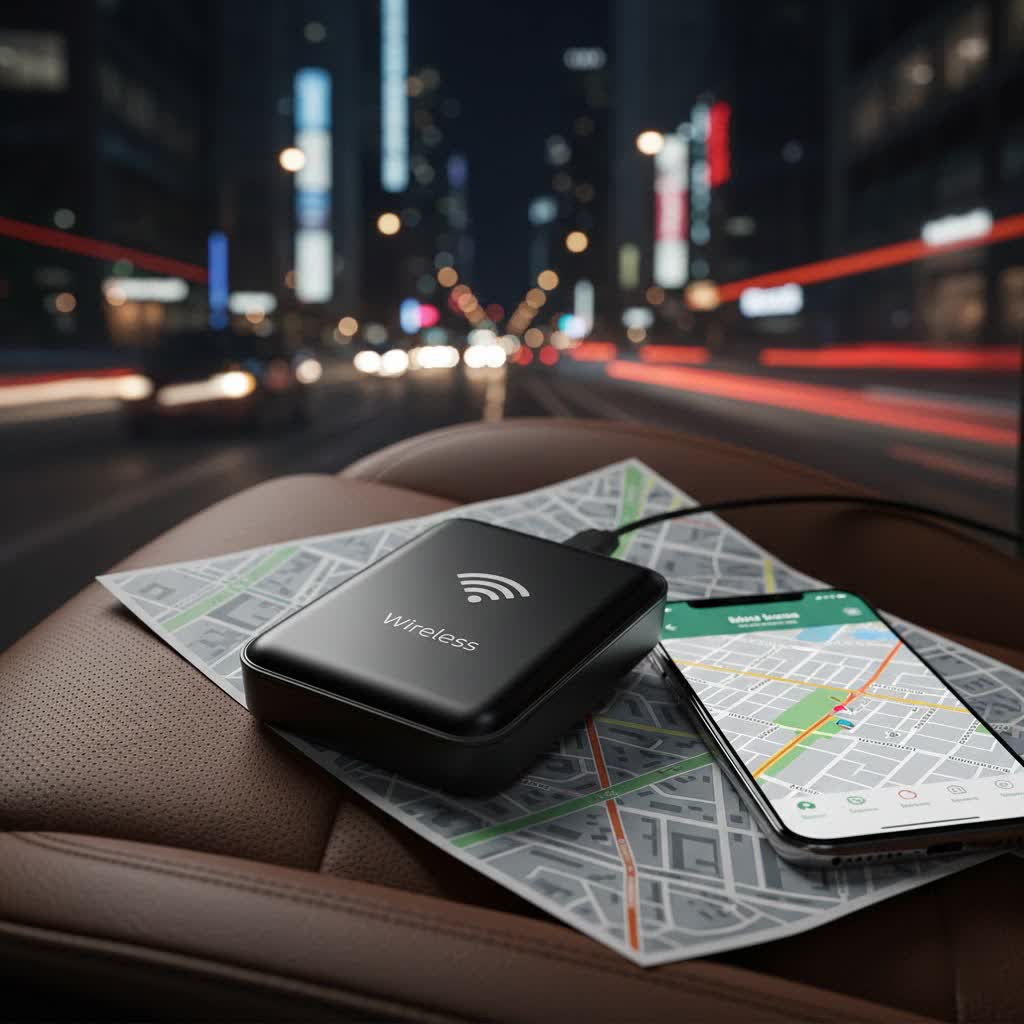
What is a Wireless Charger and How Does it Work?
Wireless charging, often described as inductive charging, is a revolutionary technology that allows devices to receive power without a physical cable connection. Instead, it utilizes electromagnetic fields to transfer energy between a charging pad or dock and a compatible device. The fundamental principle involves two coils: one in the charging pad (transmitter) and one in your iPhone 11 (receiver). When your phone is placed on the pad, the transmitter coil generates an electromagnetic field, which then induces an electric current in the receiver coil of your iPhone, converting it into power to charge the battery.
The global standard for this technology is Qi (pronounced “chee”), developed by the Wireless Power Consortium (WPC). The iPhone 11, along with its Pro and Pro Max variants, is fully compatible with the Qi wireless charging standard, making it widely accessible with numerous chargers on the market.
Advantages of Wireless Charging:
- Convenience: Simply place your iPhone 11 on the charging pad—no need to fumble with cables in the dark or hunt for the right port.
- Reduced Wear and Tear: Eliminates the constant plugging and unplugging, which can reduce stress on your iPhone’s Lightning port and charging cables.
- Aesthetics: A single charging pad can keep your desk or nightstand tidier, free from a mess of cords.
Disadvantages of Wireless Charging:
- Slower Charging Speeds: Wireless charging for the iPhone 11 typically operates at a maximum of 7.5 watts, which is slower than wired fast charging that can reach up to 18 watts.
- Less Efficient: Some energy is lost during the wireless transfer process, making it slightly less energy-efficient than wired charging.
- Immobility While Charging: Your phone must remain on the charging pad to power up, limiting its use while actively charging.
Popular Wireless Charger Types for iPhone 11
The market for wireless chargers is diverse, offering various designs and functionalities to suit different needs. While all Qi-certified chargers will work with your iPhone 11, understanding the types available can help you make an informed decision.
- Charging Pads: These are flat surfaces where you simply lay your iPhone 11 down to charge. They are often minimalist in design and blend easily into any environment. Some pads can charge a single device, while others are designed for multiple devices like AirPods and an Apple Watch.
- Charging Stands: Ideal for desks or nightstands, stands hold your iPhone 11 upright, allowing you to view notifications, watch videos, or use Face ID while it charges. Many support both portrait and landscape orientations, which is perfect for features like StandBy mode.
- Multi-Device Charging Stations: These integrated units are designed to charge your iPhone 11, Apple Watch, and AirPods (with a wireless charging case) simultaneously. They are excellent for decluttering and ensuring all your essential devices are ready to go.
- Wireless Power Banks: For charging on the go, wireless power banks offer the convenience of cable-free charging without needing a wall outlet. Simply place your iPhone 11 on the power bank to top up its battery. These are particularly useful for travel or long commutes.
- Car Wireless Chargers: Many modern vehicles and aftermarket accessories offer built-in wireless charging pads or mounts, providing a convenient way to keep your iPhone 11 charged while driving.
It’s important to remember that while newer iPhones (iPhone 12 and later) support MagSafe for faster 15W wireless charging and magnetic alignment, the iPhone 11 does not have native MagSafe technology. However, MagSafe chargers are still Qi-compatible and can charge an iPhone 11, though they will do so at the iPhone 11’s maximum 7.5W Qi speed and without the magnetic “snap” unless you use a MagSafe-compatible case.
Top Wireless Chargers for iPhone 11: A Comparison
Choosing the best wireless charger involves balancing features, design, and budget. Here’s a look at some highly-rated options and what they offer for your iPhone 11.
| Charger Name | Type | Max Output (for iPhone 11) | Key Features | Price Range (Approx.) |
|---|---|---|---|---|
| Anker 313 Wireless Charger Pad | Pad | 7.5W | Compact, sleek design, non-slip surface | $15 – $25 |
| Belkin BOOST↑CHARGE Wireless Stand | Stand | 7.5W | Charges in portrait/landscape, LED indicator | $30 – $45 |
| Anker 335 Wireless Charging Station | Multi-device | 7.5W (iPhone) | Charges iPhone, Apple Watch, AirPods simultaneously, compact | $50 – $70 |
| Mophie Wireless Charging Stand | Stand | 7.5W | Charges through cases (up to 3mm), premium design | $40 – $60 |
| Yootech Wireless Charger (10W Max) | Pad | 7.5W | Affordable, simple, widely compatible | $10 – $20 |
| Anker PowerWave Sense Stand | Stand | 7.5W | Fabric finish, optimized for viewing angles | $35 – $50 |
| Belkin BOOST↑CHARGE PRO 2-in-1 Dock | Multi-device | 7.5W (iPhone) | Charges iPhone & AirPods, sleek, magnetic alignment (if case used) | $70 – $100 |
Note: Prices are approximate and can vary based on retailer and promotions.
Product Highlights:
- Anker PowerWave Series: Anker is renowned for reliable and affordable charging solutions. Their PowerWave pads and stands are consistently well-regarded for their build quality and consistent charging performance for iPhones.
- Belkin BOOST↑CHARGE Series: Belkin offers a range of high-quality, Apple-optimized chargers. Their stands are particularly popular for their ability to hold the phone securely while charging, allowing for hands-free use.
- Mophie Wireless Charging Solutions: Mophie often provides premium options with robust designs and features like charging through thicker cases, appealing to users who prioritize durability and aesthetics.
For the iPhone 11, many users find that a simple, reliable 7.5W Qi-certified pad or stand from a reputable brand like Anker or Belkin offers the best balance of performance and value. Multi-device chargers are excellent for streamlining your charging setup if you have other Apple accessories.
How to Choose the Right iPhone 11 Wireless Charger
With numerous options available, selecting the ideal wireless charger for your iPhone 11 can seem daunting. Consider these factors to find the perfect fit for your needs.
Assess Your Charging Needs
Start by evaluating how and where you typically charge your devices.
- Devices to Charge: Do you only need to charge your iPhone 11, or do you also have AirPods with a wireless charging case and an Apple Watch? A multi-device station can be a game-changer for consolidating your charging space.
- Speed Priority: While convenience is a major draw, understand that the iPhone 11 wirelessly charges at 7.5W. If you frequently need rapid power boosts, wired charging (up to 18W) might still be your primary method, with wireless as a secondary, convenient option for overnight or desk charging.
- Design Preference and Location: Where will your charger live? A sleek pad might be perfect for a minimalist office, while a stand is better for a nightstand to easily check the time or notifications. For travel, a compact pad or wireless power bank is essential.
|
Our Picks for the Best Wireless Charger in 2026
As an Amazon Associate I earn from qualifying purchases.
|
||
| Num | Product | Action |
|---|---|---|
| 1 | 3 in 1 Charging Station for iPhone, Wireless Charger for iPhone 17 16e 16 15 14 13 12 11 X Pro Max & Apple Watch - Wireless Charging Station for AirPods 4 3 Pro |

|
| 2 | INIU Wireless Charger, 15W Fast Qi Certified Wireless Charging Station with Sleep-Friendly Adaptive Light Compatible with iPhone 17 16 15 14 13 12 Pro Max Samsung Galaxy S25 S24 S23 Note 20 Google etc |
|
| 3 | MagSafe Charger Stand 15W Magnetic Wireless Charger for iPhone 17/Air/16/15/14/13/12 Series (Onyx Black) |
|
| 4 | LỖI |
|
| 5 | TOZO 2025 W1 New Anti-Slip Wireless Charger 15W Max Fast Wireless Charging Pad Compatible with iPhone 17/16/16 Plus/16 Pro Max /15/14/13/SE Series, Samsung Galaxy S25/S24/S23 Series, Black |
|
| 6 | TRKOY for Magsafe Portable Charger, 5000mAh Wireless Magnetic Power Bank with USB C Charging,Travel Essential for Magsafe Battery Pack Compatible with iPhone 17/16/15/14/13/12 Series, White |
|
| 7 | Samsung Galaxy S25 Ultra Wireless Charging Pad for Galaxy S25 S24 S23 S22 S21 S20 Ultra FE Z Fold Flip 7 6,15W Magnetic Wireless Magsafe Charger Station for iPhone 17 16 15 14 Pro Max Plus |
|
| 8 | Yootech Wireless Charger,10W Max Wireless Charging Pad Compatible with iPhone 17/17 Pro/17 Pro Max/Air/16/15/14/13/SE 2022/12/11,Samsung Galaxy S25/S24/S23,for AirPods Pro 3(No AC Adapter) |
|
| 9 | Apple MagSafe Charger (1 m): Wireless Charger with Fast-Charging Capability |
|
| 10 | Fast Wireless Charger, NANAMI 15W Qi Certified Wireless Charging Stand Compatible iPhone 17/17 Air/16/15/15 Pro/15 Plus/15 Pro Max/14/13/12, for Samsung Galaxy S25/S24/S23/S22/S21 and Qi-Enabled Phone |
|
Understanding Charging Power (Watts)
The iPhone 11 series can receive a maximum of 7.5 watts of power from a Qi wireless charger. While you might see chargers advertised with higher wattages (e.g., 10W or 15W), your iPhone 11 will only draw up to 7.5W. There’s no harm in using a higher wattage charger, but it won’t charge your iPhone 11 any faster. Focus on ensuring the charger is Qi-certified to guarantee compatibility and safety.
Selecting Reputable Brands
The market is flooded with generic wireless chargers, but investing in a product from a trusted brand is crucial for safety, efficiency, and longevity.
- Safety and Reliability: Reputable brands like Anker, Belkin, Samsung, and Mophie adhere to strict safety standards, incorporating features to prevent overheating and overcharging, which protects your iPhone’s battery health.
- Performance: Chargers from established brands often provide more consistent power delivery, leading to more reliable charging experiences.
- Warranty and Support: Quality brands typically offer warranties and customer support, giving you peace of mind in case of any issues. Always read reviews from other users to gauge real-world performance.
Comparing Features and Value
Beyond basic functionality, consider additional features that enhance the user experience.
- Extra Ports: Some wireless chargers include additional USB-A or USB-C ports, allowing you to charge another device (like an older Apple Watch or a different smartphone) simultaneously via cable.
- Built-in Clocks or Displays: Integrated alarm clocks or digital displays can be a convenient addition for a bedside charger.
- Case Compatibility: Most quality wireless chargers can charge through phone cases up to 3-5mm thick. If you use a thicker, rugged case, confirm the charger’s compatibility. Avoid cases with metal plates or credit cards, as these can interfere with charging.
- Price vs. Quality: While budget-friendly options exist, sometimes paying a bit more for a well-known brand can save you headaches in the long run due to superior build quality and safety features. Look for sales and promotions to get the best value.
Tips for Safe and Effective iPhone 11 Wireless Charging
To ensure your iPhone 11 charges efficiently and safely, follow these best practices.
- Proper Placement is Key: For optimal charging, place your iPhone 11 centrally on the charging pad. Misalignment can lead to slower charging speeds or prevent charging altogether. You’ll typically see a charging indicator on your iPhone’s screen (the lightning bolt icon in the status bar) when it’s correctly placed.
- Case Considerations: Most non-metallic cases under 3mm thick should not interfere with wireless charging. However, thick cases, cases with metallic elements, or credit cards stored between your phone and the case can block the electromagnetic field, preventing charging or causing overheating. Always remove such obstructions.
- Temperature Management: It’s normal for your iPhone 11 and the wireless charger to warm up slightly during charging. However, excessive heat can reduce charging efficiency and potentially impact battery health over time. Place your charger in a cool, well-ventilated area, away from direct sunlight. If your phone feels unusually hot, temporarily remove it from the charger.
- Use Certified Accessories: Always use Qi-certified wireless chargers and reliable wall adapters (power bricks) from reputable manufacturers. Uncertified or low-quality accessories might pose safety risks or damage your device.
- Keep it Clean: Dust and debris can accumulate on your charging pad and the back of your iPhone 11. Regularly wipe both surfaces with a soft, dry cloth to ensure a clean contact point and efficient power transfer.
- Software Updates: Keep your iPhone 11’s iOS software updated. Apple often includes performance and battery optimization improvements in software updates, which can positively impact charging.
> “Wireless charging offers unparalleled convenience, transforming how we power our devices. For your iPhone 11, focus on a Qi-certified charger from a reputable brand, and always ensure proper placement for the best experience.” – Dr. Elena Petrova, Lead Researcher in Inductive Power Systems
Conclusion
The iPhone 11, with its robust Qi wireless charging capabilities, offers a fantastic way to keep your device powered without the hassle of cables. While it charges at a maximum of 7.5 watts, prioritizing convenience and understanding its limitations compared to wired fast charging is key. From sleek charging pads to versatile multi-device stands, a wide array of Qi-certified accessories are available to suit every need and budget. By selecting a reputable brand and following simple best practices, you can enjoy a safe, efficient, and seamless wireless charging experience for your iPhone 11.
Are you ready to embrace the simplicity of wireless power for your iPhone 11?
Frequently Asked Questions
Does the iPhone 11 support MagSafe?
No, the iPhone 11 does not have native MagSafe technology, which was introduced with the iPhone 12. However, MagSafe chargers are Qi-compatible, so you can still use them to wirelessly charge your iPhone 11, but it will charge at the standard 7.5W Qi speed and without the magnetic alignment feature.
How fast does the iPhone 11 charge wirelessly?
The iPhone 11 supports wireless charging at a maximum speed of 7.5 watts. This is slower than wired fast charging, which can deliver up to 18 watts. A full wireless charge typically takes around 3 to 4 hours, though this can vary based on the charger and environmental factors.
Is wireless charging safe for my iPhone 11’s battery?
Yes, wireless charging is safe for your iPhone 11’s battery when using certified, high-quality chargers. Apple designs its devices with built-in safety mechanisms to prevent issues like overcharging and overheating. Always use reputable brands and avoid placing foreign objects between your phone and the charger to ensure optimal battery health.
What if my iPhone 11 isn’t charging wirelessly?
First, ensure your iPhone 11 is properly centered on the charging pad and that no metallic objects or thick cases are interfering. Try restarting your iPhone and the charger’s power source. If issues persist, test with a different Qi-certified charger or consult Apple support, as the problem might lie with the charger or your device.
Can I use any Qi charger with my iPhone 11?
Yes, the iPhone 11 is compatible with any Qi-certified wireless charger. This universal standard ensures interoperability across various brands and products. However, for the best performance and safety, it is always recommended to use chargers from reputable brands that comply with industry standards.
