Tired of fumbling with tangled cables and searching for the right charging port in the dark? Wireless charging for your iPhone offers a seamless and convenient solution, transforming how you power up your device. This guide will walk you through everything you need to know, from understanding the underlying technology to selecting the best wireless iPhone charger to fit your lifestyle and where you might find one nearby.
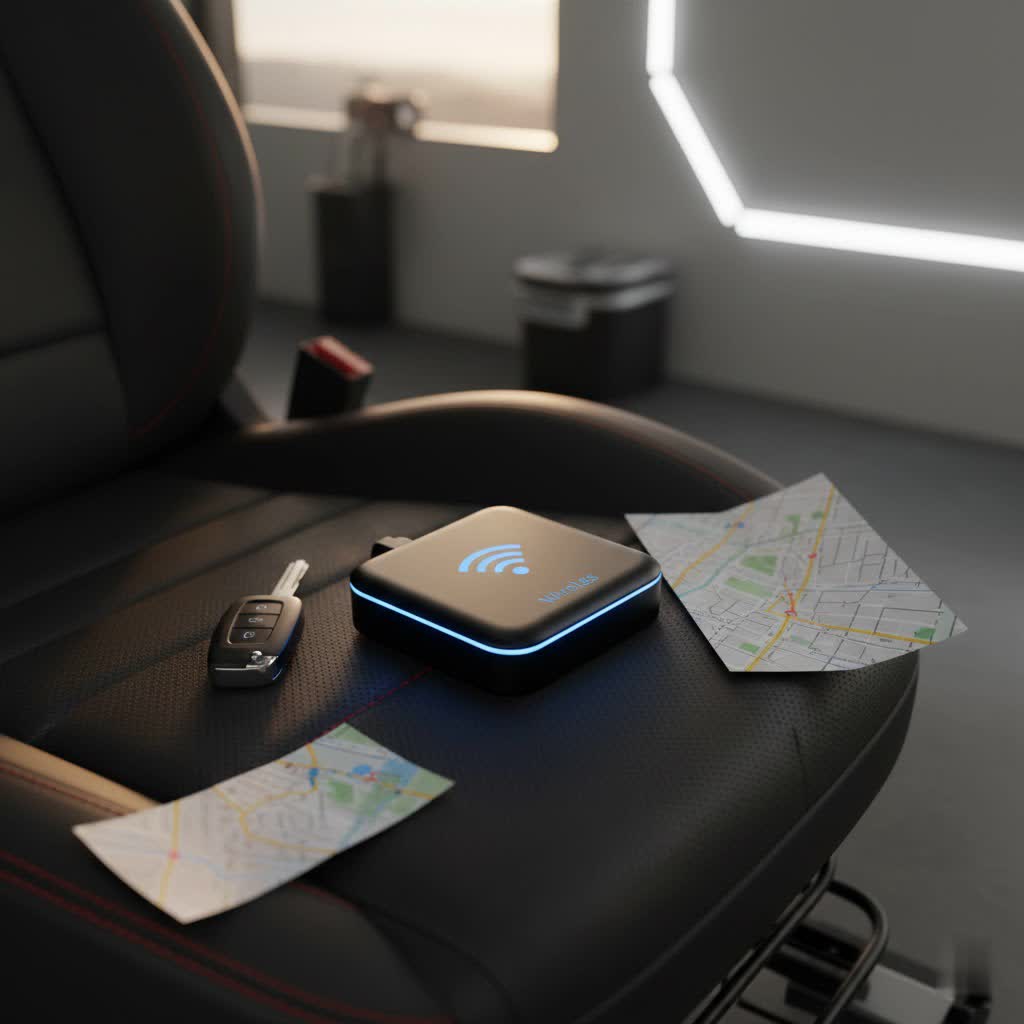
What is a Wireless Charger and How Does It Work?
Wireless charging, often referred to as inductive charging, relies on electromagnetic induction to transfer power without physical cables. When you place your iPhone on a compatible charging pad or stand, coils inside the charger generate an electromagnetic field. Your iPhone, equipped with its own receiver coil, converts this energy back into electrical current to charge its battery. It’s a marvel of modern engineering designed for ultimate convenience.
The most widespread standard for wireless charging is Qi (pronounced “chee”), developed by the Wireless Power Consortium (WPC). All iPhones from the iPhone 8 onward are Qi-compatible, typically supporting charging speeds up to 7.5W. Apple later introduced MagSafe with the iPhone 12 series, enhancing Qi by integrating magnets for perfect alignment and faster charging speeds of up to 15W on compatible models. The latest evolution, Qi2, combines the universal compatibility of Qi with the magnetic alignment of MagSafe, also offering up to 15W and supported by the iPhone 15 series and newer devices, with potential for even faster speeds like 25W in future models.
The primary advantage of wireless charging is its sheer convenience, reducing wear and tear on your iPhone’s charging port. However, it can sometimes be slower than wired charging, and some chargers may generate a slight amount of heat, which is normal.
Popular Types of Wireless Chargers for Your iPhone
The market offers a diverse range of wireless iPhone chargers, each designed to meet different needs and preferences. Understanding the various types available will help you make an informed decision.
Chargers can be broadly categorized by their design and functionality:
- Charging Pads: These are flat surfaces where you simply lay your iPhone down. They are often minimalist and can blend discreetly into any environment, perfect for a nightstand or desk where space is limited.
- Charging Stands: Designed to hold your iPhone upright, these are ideal for desks or kitchens, allowing you to view notifications, watch videos, or use apps in portrait or landscape mode while charging. Many newer stands are MagSafe-compatible, ensuring your phone snaps into the optimal charging position.
- Multi-device Chargers: For users with an ecosystem of Apple products, 3-in-1 or 2-in-1 chargers can simultaneously power your iPhone, Apple Watch, and AirPods. These streamline your charging setup, reducing clutter from multiple cables and adapters.
- Portable Wireless Chargers (Power Banks): These combine the convenience of wireless charging with the flexibility of a portable battery pack. They are excellent for travel or when you need to top up your iPhone on the go without access to an outlet.
- Car Chargers: Integrated into car mounts, these chargers keep your iPhone powered while driving, often utilizing magnetic alignment to secure your device for navigation or media playback.
In terms of power output, chargers typically range from 5W to 15W. While standard Qi chargers often deliver 7.5W for iPhones, MagSafe and Qi2 chargers can provide up to 15W, offering a significant boost in charging speed for newer iPhone models. Leading brands such as Apple, Anker, Belkin, and Mophie are well-regarded for their range of reliable and feature-rich wireless charging solutions.
Top Wireless Chargers for iPhone: A Comparison Guide
When evaluating the best wireless iPhone chargers, several key factors come into play, influencing both performance and user experience. While specific models constantly evolve, understanding these criteria will help you identify top-tier options.
Key Comparison Points:
- Charging Speed: For the fastest charging, look for chargers that support 15W, typically found in MagSafe or Qi2 certified devices, which are compatible with iPhone 12 and newer. Older iPhones, starting from the iPhone 8, will charge at up to 7.5W with standard Qi chargers. Ensure the charger includes a suitable power adapter, as some only provide the pad/stand, requiring you to purchase a compatible power brick separately to achieve maximum speeds.
- Design and Features: Consider whether a flat charging pad, an upright stand, or a multi-device station best suits your needs. Magnetic alignment, especially with MagSafe/Qi2, is a highly desirable feature for ease of use and consistent charging. Some chargers also offer additional functionalities like built-in fans to manage heat or foldable designs for portability.
- Safety and Certifications: Prioritize chargers with essential safety features such as foreign object detection (FOD), overcharge protection, overheating prevention, and short-circuit protection. Qi-certified chargers generally meet these important safety standards, offering peace of mind.
- Brand Reputation and Reviews: While brand loyalty can vary, manufacturers like Apple, Anker, Belkin, and Mophie consistently produce high-quality, reliable wireless chargers. Reading user reviews can provide valuable insights into real-world performance and durability.
- Value for Money: The “best” charger isn’t always the most expensive. Compare features, build quality, and charging performance against the price to find a charger that offers excellent value tailored to your budget and requirements.
For example, Apple’s official MagSafe Charger provides guaranteed compatibility and 15W charging for MagSafe-enabled iPhones. Brands like Anker and Belkin offer a wide array of Qi and MagSafe-compatible chargers, often with innovative designs and competitive pricing, including multi-device options and travel-friendly solutions.
Your Guide to Choosing the Right iPhone Wireless Charger
Finding the perfect wireless iPhone charger can be straightforward if you consider your personal needs and the charger’s specifications. This section will guide you through the selection process, helping you pick a charger that integrates seamlessly into your digital life.
Determine Your Charging Needs
Before diving into specifications, think about how and where you’ll primarily use your wireless charger.
- What devices do you need to charge? Are you looking solely for your iPhone, or do you also want to power an Apple Watch and AirPods simultaneously? Multi-device chargers are great for consolidating your charging setup.
- How fast do you need to charge? If you frequently need quick power boosts, a 15W MagSafe or Qi2 charger is essential for newer iPhones. For overnight charging where speed isn’t critical, a standard 7.5W Qi charger might suffice.
- What design fits your space? A sleek charging pad works well on a minimalist desk, while a stand allows for easy phone viewing during video calls or while following recipes. For travel, a foldable or portable power bank offers unmatched flexibility.
|
Our Picks for the Best Wireless Charger in 2026
As an Amazon Associate I earn from qualifying purchases.
|
||
| Num | Product | Action |
|---|---|---|
| 1 | 3 in 1 Charging Station for iPhone, Wireless Charger for iPhone 17 16e 16 15 14 13 12 11 X Pro Max & Apple Watch - Wireless Charging Station for AirPods 4 3 Pro |

|
| 2 | Apple MagSafe Charger (1 m): Wireless Charger with Fast-Charging Capability |
|
| 3 | TRKOY for Magsafe Portable Charger, 5000mAh Wireless Magnetic Power Bank with USB C Charging,Travel Essential for Magsafe Battery Pack Compatible with iPhone 17/16/15/14/13/12 Series, White |
|
| 4 | MagSafe Charger Stand 15W Magnetic Wireless Charger for iPhone 17/Air/16/15/14/13/12 Series (Onyx Black) |
|
| 5 | LỖI |
|
| 6 | Samsung Galaxy S25 Ultra Wireless Charging Pad for Galaxy S25 S24 S23 S22 S21 S20 Ultra FE Z Fold Flip 7 6,15W Magnetic Wireless Magsafe Charger Station for iPhone 17 16 15 14 Pro Max Plus |
|
| 7 | Fast Wireless Charger, NANAMI 15W Qi Certified Wireless Charging Stand Compatible iPhone 17/17 Air/16/15/15 Pro/15 Plus/15 Pro Max/14/13/12, for Samsung Galaxy S25/S24/S23/S22/S21 and Qi-Enabled Phone |
|
| 8 | TOZO 2025 W1 New Anti-Slip Wireless Charger 15W Max Fast Wireless Charging Pad Compatible with iPhone 17/16/16 Plus/16 Pro Max /15/14/13/SE Series, Samsung Galaxy S25/S24/S23 Series, Black |
|
| 9 | INIU Wireless Charger, 15W Fast Qi Certified Wireless Charging Station with Sleep-Friendly Adaptive Light Compatible with iPhone 17 16 15 14 13 12 Pro Max Samsung Galaxy S25 S24 S23 Note 20 Google etc |
|
| 10 | Yootech Wireless Charger,10W Max Wireless Charging Pad Compatible with iPhone 17/17 Pro/17 Pro Max/Air/16/15/14/13/SE 2022/12/11,Samsung Galaxy S25/S24/S23,for AirPods Pro 3(No AC Adapter) |
|
Understand Charging Power
The power output, measured in watts (W), directly impacts charging speed.
- Match wattage to your iPhone: iPhones 8 through 11 generally support up to 7.5W Qi wireless charging. iPhone 12 and newer models can take advantage of 15W charging with MagSafe or Qi2 compatible chargers. The latest iPhone 15 series also supports Qi2, which ensures magnetic alignment for efficient 15W charging.
- Power adapter considerations: Always ensure your wireless charger comes with a sufficient power adapter or that you use a compatible one. A 15W wireless charger still needs a capable wall adapter (often 20W or more) to deliver its full power potential.
Choose a Reputable Brand
Opting for chargers from established brands often translates to better quality, reliability, and safety.
- Certifications matter: Look for Qi-certified products, which indicate adherence to universal safety and performance standards. For MagSafe, official “Made for iPhone” (MFi) accessories from Apple or licensed partners guarantee full compatibility and optimal performance.
- Brand reputation: Brands like Apple, Anker, Belkin, and Mophie are known for their high-quality products and robust customer support. Reading reviews from other users can offer valuable insights into a product’s real-world performance and durability.
Compare Prices and Availability
Budget is always a factor, but remember that the cheapest option isn’t always the best in the long run.
- Value over price: Compare the features, build quality, and charging capabilities against the price point. Investing a little more in a reliable, fast, and feature-rich charger often pays off.
- Where to find them: Wireless iPhone chargers are widely available. You can typically find a broad selection at major electronics retailers such as Best Buy, Target, and Walmart. Carrier stores like AT&T also stock various options, as do Apple Stores for official MagSafe products. Online retailers offer vast selections, often with competitive pricing and delivery options, including local pickup. Checking the websites of these stores for “wireless iPhone charger” and filtering by “in-store availability” or “local pickup” can help you quickly locate a charger near you.
Tips for Safe and Effective Wireless Charging
To ensure your wireless iPhone charger operates safely and effectively, follow these best practices:
- Proper Placement: Always place your iPhone squarely in the center of the charging pad or stand. Incorrect alignment can lead to slower charging or prevent charging altogether. Magnetic chargers, like MagSafe and Qi2, simplify this by automatically snapping your phone into the optimal position.
- Avoid Foreign Objects: Do not place anything, especially metallic objects like keys, coins, or credit cards with magnetic strips, between your iPhone and the wireless charger. Foreign object detection (FOD) is a safety feature in many modern chargers that will prevent charging if such objects are detected, but it’s best to avoid placing them there to prevent potential damage or overheating.
- Use the Right Power Adapter: Always use the power adapter that came with your wireless charger, or one recommended by the manufacturer, that provides sufficient wattage. An underpowered adapter will result in slower charging speeds.
- Manage Heat: It’s normal for your iPhone and the charger to become slightly warm during wireless charging. However, if the device gets excessively hot, charging performance might be throttled or paused by your iPhone’s software to protect the battery. If this happens, move your iPhone and charger to a cooler location.
- Prioritize Wired Charging When Connected to USB: If your iPhone is connected to a computer via USB or a USB power adapter, it will prioritize charging through the wired connection rather than wirelessly.
- Keep it Clean: Regularly wipe down your wireless charger with a soft, dry cloth to remove dust and debris, ensuring an unobstructed and efficient charging surface.
> “Wireless charging offers unparalleled convenience, but understanding its standards like Qi, MagSafe, and Qi2 is crucial for selecting a charger that delivers optimal performance and safety for your iPhone.” – Admin, reviewsacc.com, Wireless Charging Expert
Conclusion
Embracing wireless charging for your iPhone ushers in an era of unparalleled convenience, freeing you from the perpetual tangle of cables and connectors. By understanding the core technologies like Qi, MagSafe, and the newer Qi2, recognizing the different types of chargers available, and carefully considering factors like charging speed, design, and safety features, you can confidently choose the ideal solution for your needs. Remember to prioritize reputable brands and verify compatibility to ensure a seamless and efficient charging experience. With the right wireless charger, powering your iPhone becomes a simple, elegant gesture, allowing you to stay connected with ease.
Are you ready to transform your charging routine and embrace the wireless revolution?
Frequently Asked Questions
Is wireless charging bad for my iPhone battery?
No, wireless charging is generally not bad for your iPhone battery. iPhones are designed with intelligent charging systems that manage heat and prevent overcharging, helping to maintain battery health. While some heat is normal, excessive heat can degrade battery life over time, so ensure good ventilation.
Can I use any wireless charger for my iPhone?
All iPhones from the iPhone 8 and later are compatible with Qi-certified wireless chargers. However, for faster charging (up to 15W) and magnetic alignment, you’ll need a MagSafe or Qi2 charger, which are specifically compatible with iPhone 12 models and newer.
What’s the difference between Qi and MagSafe?
Qi is a universal open standard for wireless charging, providing up to 7.5W for iPhones. MagSafe is Apple’s proprietary technology that builds upon Qi by incorporating magnets for perfect alignment, enabling faster 15W charging and a secure connection for iPhone 12 and later models. Qi2 is the latest standard, combining Qi’s universality with MagSafe’s magnetic alignment.
How fast is iPhone wireless charging?
The charging speed of an iPhone wirelessly depends on the charger and iPhone model. Standard Qi chargers typically deliver up to 7.5W to iPhones. MagSafe and Qi2 chargers can provide up to 15W for compatible iPhone models (iPhone 12 and newer), significantly reducing charging times compared to basic Qi.
Where can I find wireless iPhone chargers?
Wireless iPhone chargers are widely available at major electronics retailers such as Best Buy, Target, and Walmart. You can also find them at carrier stores like AT&T, and official Apple MagSafe chargers are available at Apple Stores. Online retailers also offer a vast selection.
